
A Speed-First MVP: Pokémon Center Monitor
I don’t know if anyone here is a big Pokémon fan 👀
With the new year, I got nostalgic and revisited some childhood hobbies.
When I couldn’t find anything in stores, I decided to turn it into a project.
So I built a Pokémon Center monitorϞ(๑⚈ ․̫ ⚈๑)⋆

This wasn’t about building the perfect system. The goal was to get something running ASAP.
Whether this is a hobby project or a minimal MVP - time can be limited and results mattered.
This is how created a working monitor in about 6.5 hours:
Establish stable site access (run many short tests)
Extract product data (test in console first before using script)
Scale runtime using an 80/20 approach
Add support functions
Final Result
The script visits target products and checks availability, price, and product URL.
If anything becomes available, I receive an email notification.
Avoids hard blocks like Error 15 / Access Denied,
Bypasses hCaptcha without solving it,
Logs runtime, failures, and last successful actions.
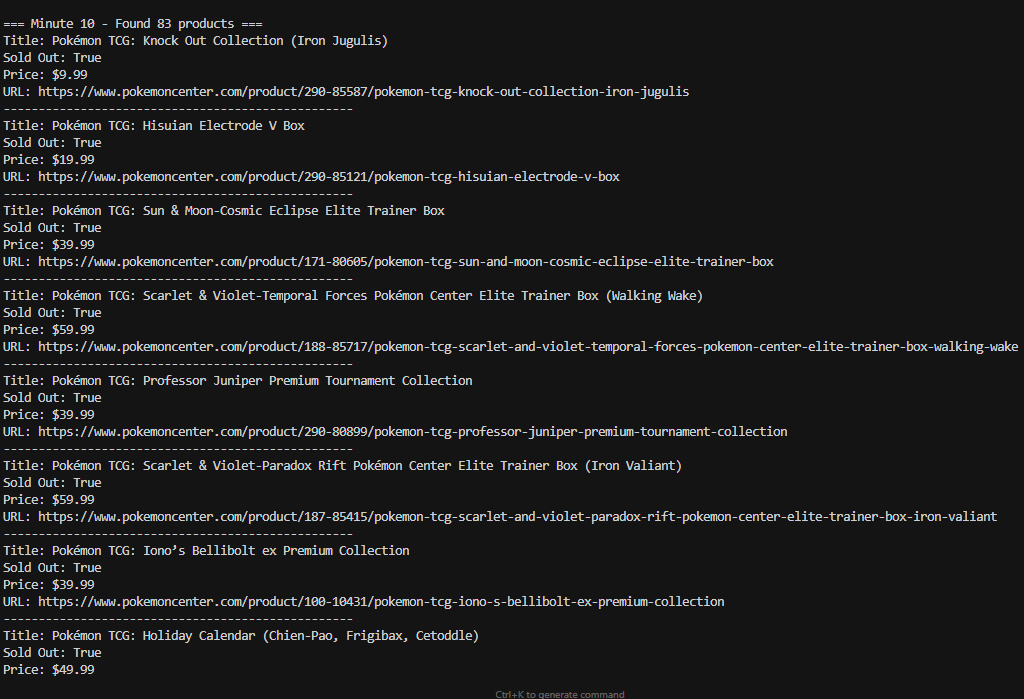
Step 1: Establish Stable Site Access
What I tested → what I got:
Standard Selenium → Error 15 / Access Denied ( no captcha, just a hard block)
Firefox → mixed results
Modified Chrome → slightly better than Firefox
End result: Modified Chrome worked best.
VPNs, Proxies, and the Real Discovery
What I tested → what I got:
ExpressVPN → helped on longer runs, no immediate difference
2Captcha proxies → helped on longer runs, no immediate difference
Cookies is probably the key.
Why Cookies Matter More Than You Think
Most sites use score-based detection, not simple allow/block rules.
That’s why blocking feels random: blocked 1 out of 10 times, or 7 out of 10 times.
Captchas usually appear when your score drops below a threshold. Raising that score works better than solving captchas.
❓What is cookies: Cookies are small data files used to maintain session context and behavior signals.
Even with rotating IPs, unchanged cookies can identify you.
A browser with no cookies often looks more suspicious than one with normal history.
Quick Way to Test Cookies: Manual Collection
I used software to open a modified Chrome browser.
I manually collected cookies by:
I visited YouTube.
I visited Walmart.
I searched for Pokémon Center instead of navigating directly.
This reduced captchas to less than 1 out of 10 visits.
Automate your Cookies Collection Process
After that, I wrote a short script that
opens random high trafficed sites,
saves cookies to files,
and injects them to future browsers.
Step 2: Extract Product Data
Many sites render content in JavaScript, so I started with JavaScript.
📌One speedy tip to avoid back and forth: Test and confirm selectors in the console before moving anything into Python.
Inspected the page in DevTools, tested selectors in the console, and confirmed the selector counts matched the products shown on the page.
After that worked, I moved the logic into Python for in-browser JavaScript execution
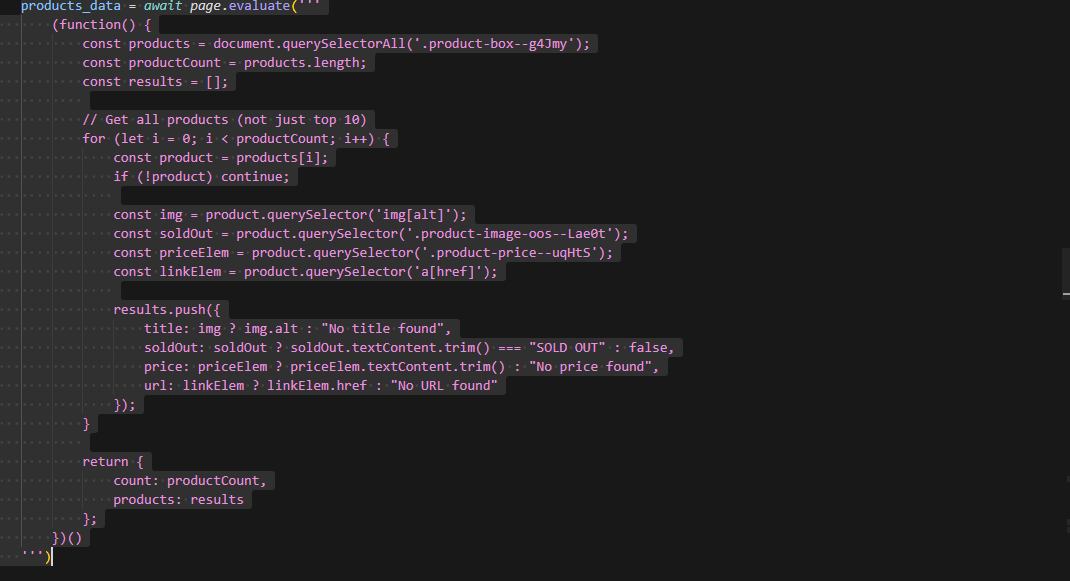
Step 3: Scale Runtime Using an 80/20 Approach
The script initially ran for 10–15 minutes.
I scaled gradually: 15 minutes, 1 hour, a few hours, 24 hours, then multiple days.
Each increase revealed new issues.
To complete the scaling, I
added more cookie variety,
adding stable proxy connections,
error notifications,
and error-handling.
🧱 Watch out: don’t let scripts keep running while getting heavily blocked. That can burn your IPs and triggers stronger defenses.
Step 4: Add Minimal but Effective Support Systems (hCaptcha)
Cookies removed about 9/10 hCaptcha cases in the first hour. After 5–7 hours, that dropped to 2–3/10.
Rotating proxies prevented performance degradation.
For the remaining cases, I used PyAutoGUI😂. It clicks the same hCaptcha location every time.
This pushed success to ~99% without external solvers.
P.S For scalable systems, use a Python built-in click methods, not PyAutoGui.
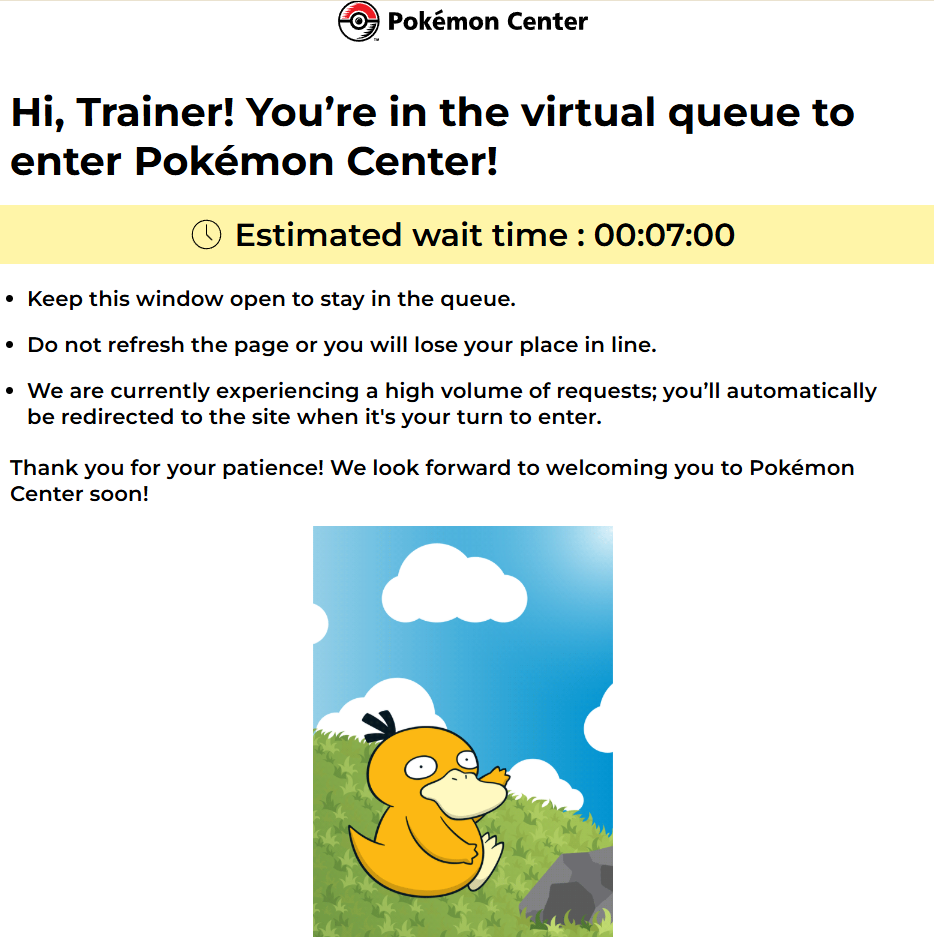
Takeaway
Don’t rush to solve captchas. If real users aren’t seeing them, check
cookies,
IPs,
browser,
and rate limits first.